I get this question from time to time and thought it might be helpful to explain how to save your own morphs. This applies to characters as well as clothing, and ties in with an article I’ve written a while ago that explains where the actual files end up on your system. Assuming you’ve imported a morph with Morph Loader or through GoZ from ZBrush, or via the Hexagon Bridge, here’s what you need to do:
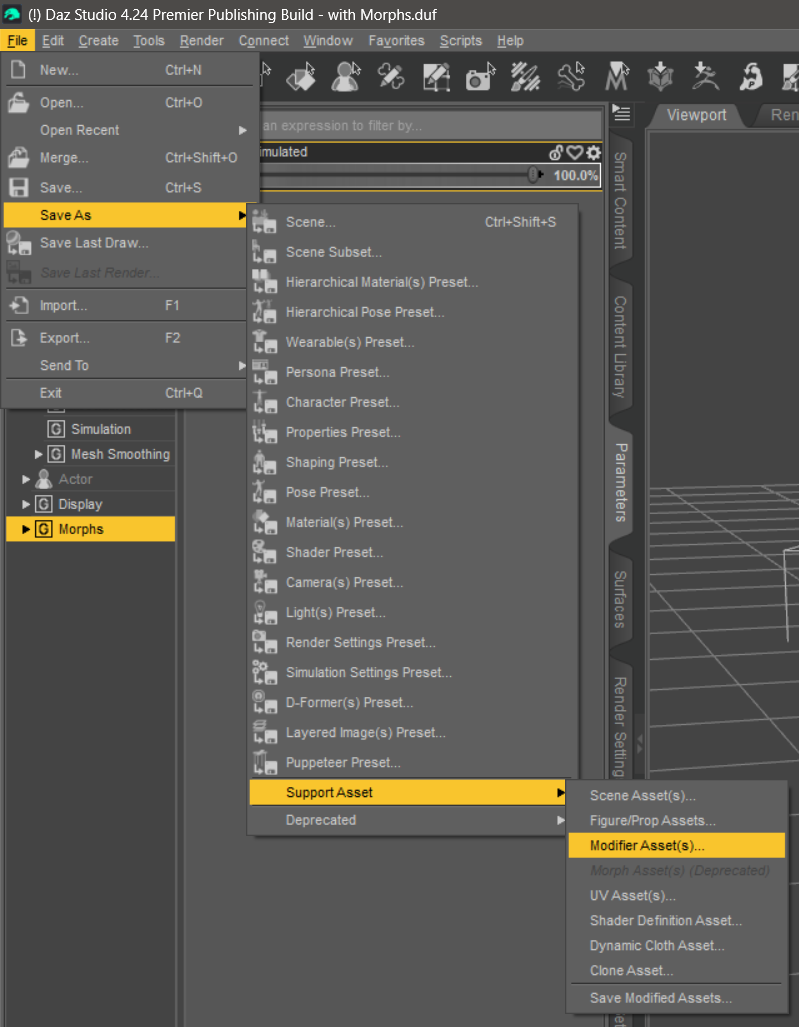
- head over to File – Save As – Support Asset – Modifier Asset
- pick a mapped library (ideally NOT your main Daz 3D Library)
- find the morph(s) you want to save
- and hit accept
In older posts and videos, you’ll see that “Modifier Asset” was once called “Morph Assets”. It’s exactly the same as of 2023 and has been renamed for… reasons nobody can really explain. Here are some screenshots to get your bearings in Daz Studio 4.24:
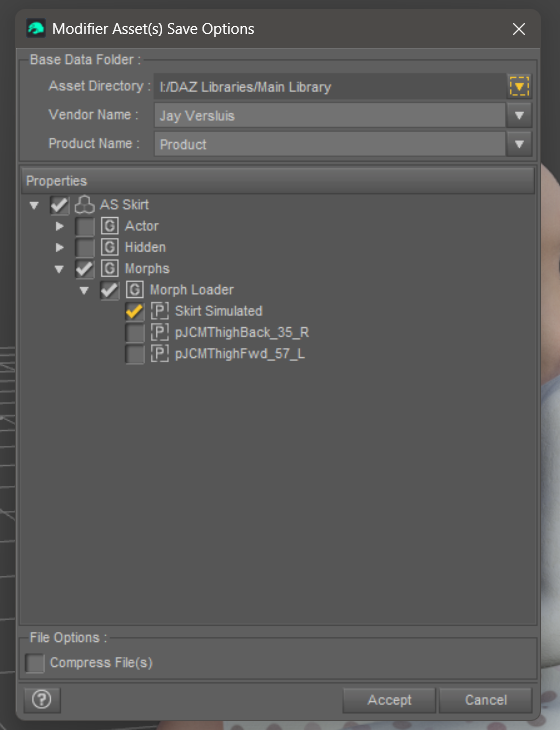
This dialogue box will pop up, asking you for details. Pick a library at the top, fill out the Vendor Name and a Product Name too. This is intended for distribution and will have a bearing on where exactly the saved files will end up.
What’s a “mapped Library” again?
Libraries are folders that have Daz Studio content in them. You’ll have at least one that both Smart Content and your Content Library will look at (typically called My Daz3D Library). Your own morphs (as well as those that come with 3D products) live there, among textures and geometry files.
You can save your own morphs into the main library, but if anything goes wrong, you risk a defective morph showing up in every figure you’ll load. I highly recommend you don’t risk that, because it’s tricky to find the one file you’ll need to delete if things go wrong. It’s much easier to un-map a custom library instead.
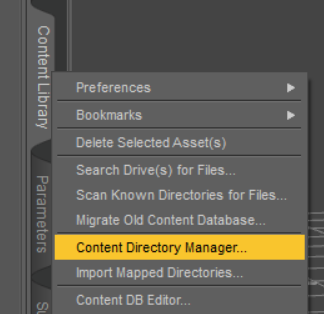
To make your own library, create a folder anywhere on your system, then right-click on the Content Library tab and choose the Content Directory Manager. All mapped libraries will show up there, and you can add new ones there too (under Daz Studio Formats).
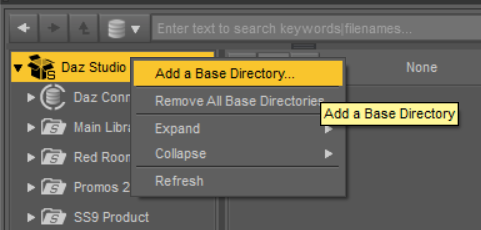
Alternatively you can add a folder by right-clicking on the Daz Studio Formats folder in the Content Library too.
Where do my morph files get saved exactly?
I’ve written a whole article about this in 2019 that explains the gory details. Check it out here: