Narrative Pro has an interaction system built-in, which is easy to use with base classes and can be extended to include conditional queries too. In this article I’ll show you how to set one up.
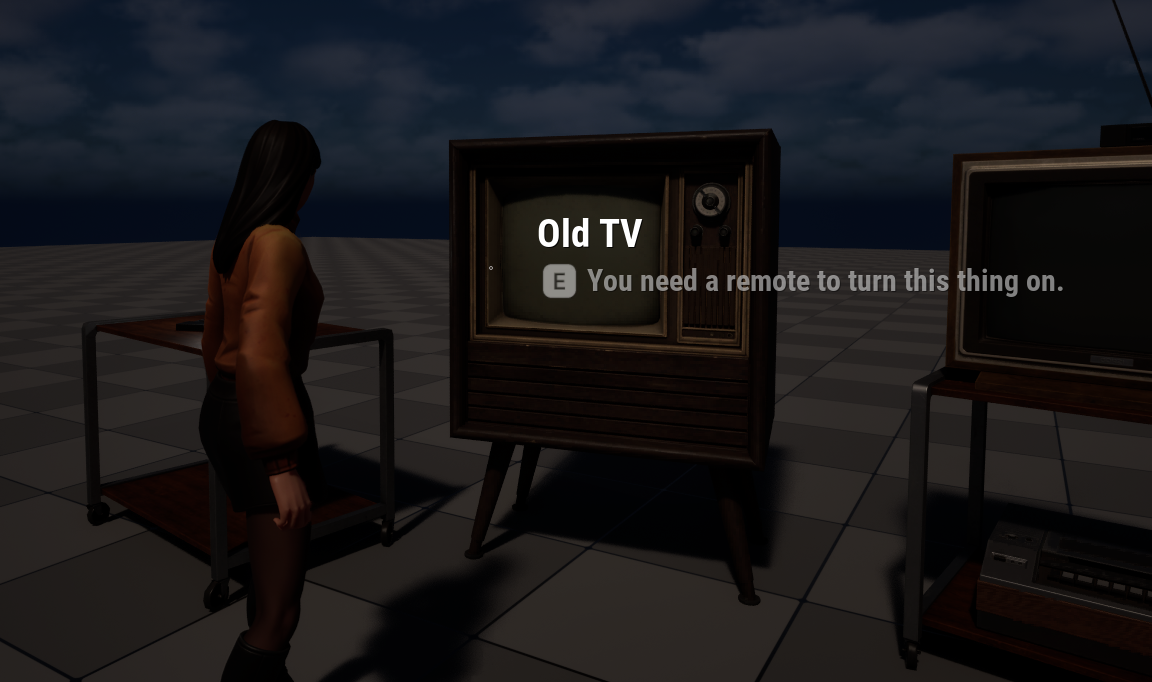
For this example, let’s use an old TV set and start with a regular interaction: the player walks in range, a prompt comes up and we can switch on the TV. Here’s what this looks like (click to enlarge).
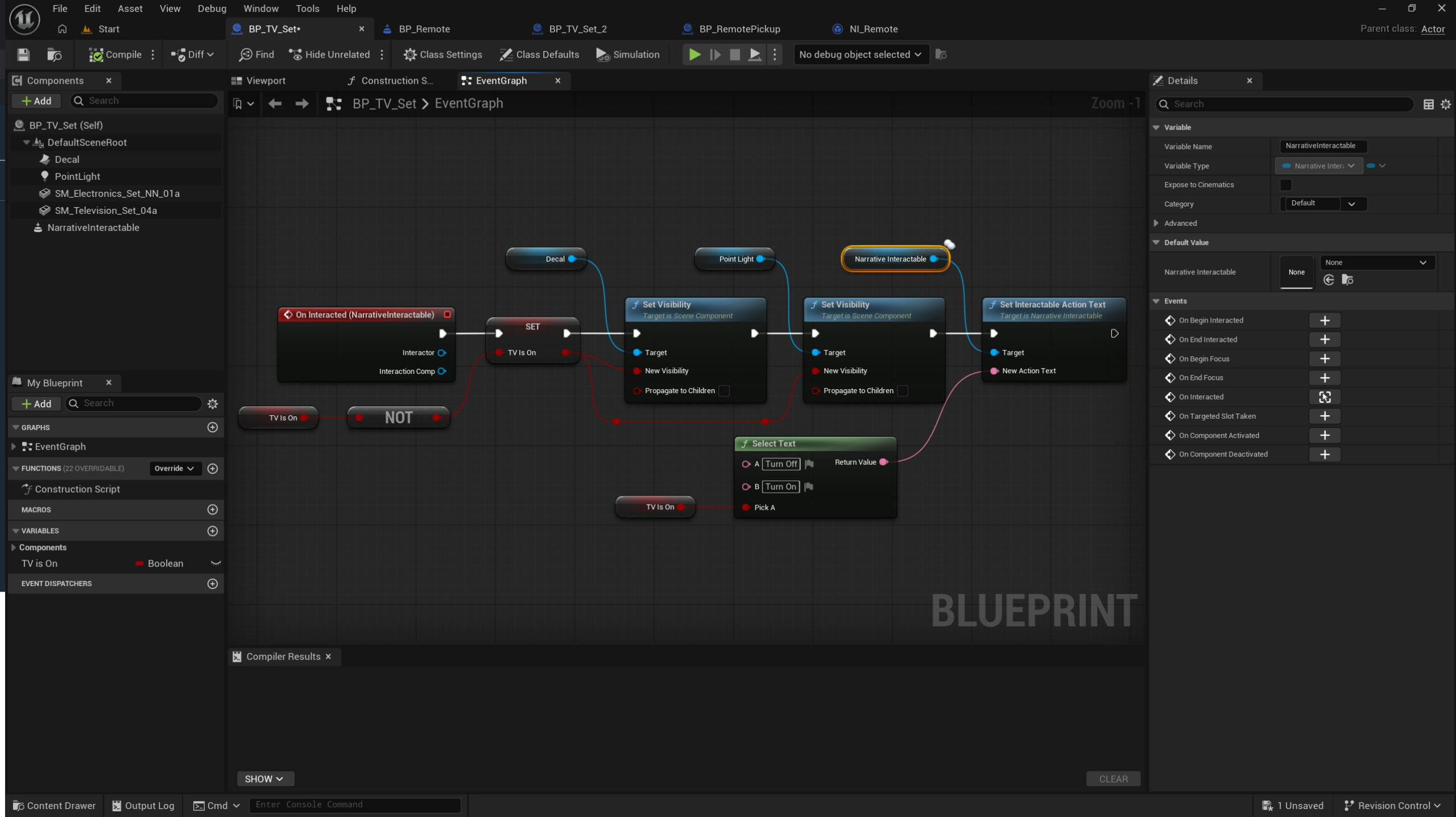
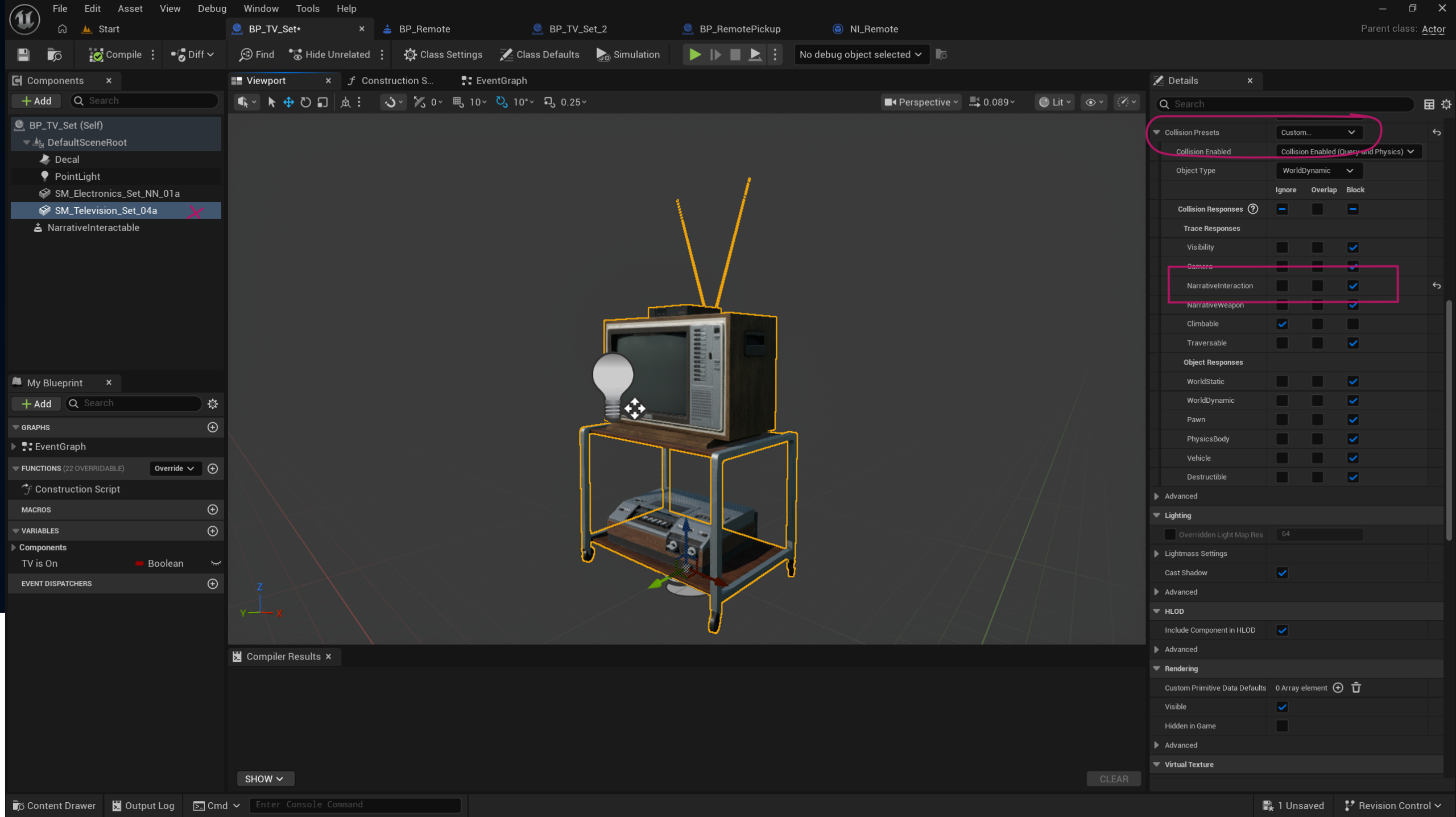
All we need for this to work is a NarrativeInteractable component on our actor, then we override the OnInteracted event and add our code. We also need to make sure our main object has the collision channel set to block NarrativeInteraction events.
The above is not conditional. It works as long as the player is in range. To change this, we need to override the NarrativeInteractable component itself so we can make the check on that component class. Here’s how we do that.
I’ve made a subclass of the NarrativeInteractable component and called it BP_Remote. Instead of the regular component, I’ll add my own class to a new TV Blueprint in the same place as the old one.
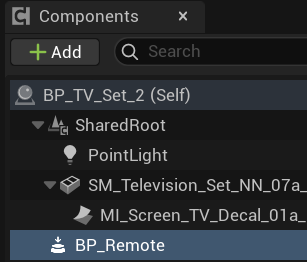
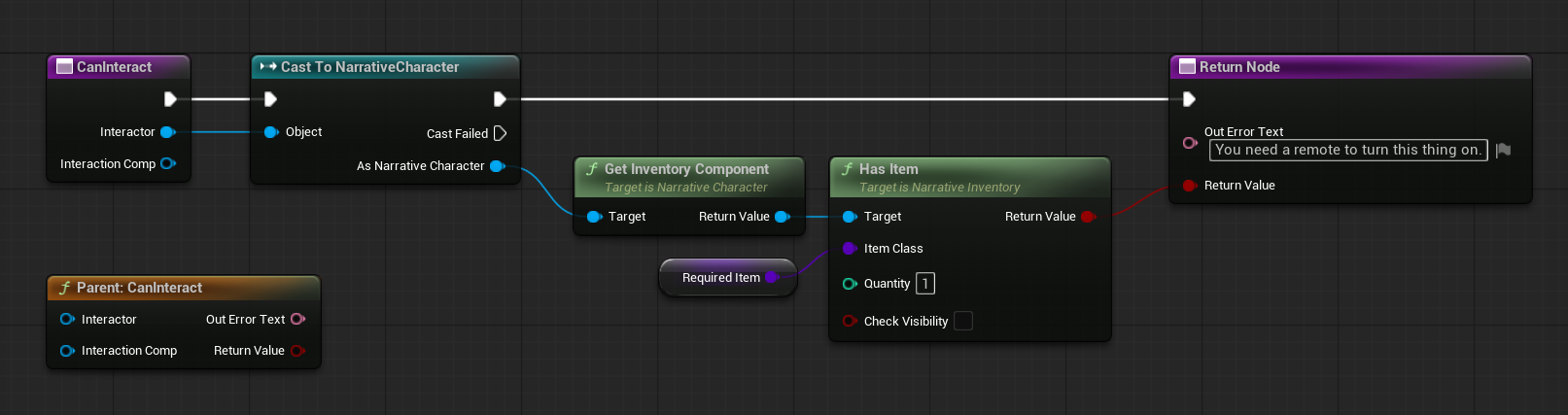
In here I can now override the Can Interact function and query conditions that need to be met in order for the player to be able to switch on the TV. In our case, I need the player to have a remote in their inventory. If this condition isn’t met, the action prompt when the player tries to interact will show the Out Error Text. If the condition is met, the value returns true and the interaction can go ahead as in the first example.