A really quick and dirty fix to change the effect of roughness maps in Unreal Engine is to use a Multiply node in between the texture and the shader. Add to that a scalar parameter and we can make changes conveniently on the Material Instance.
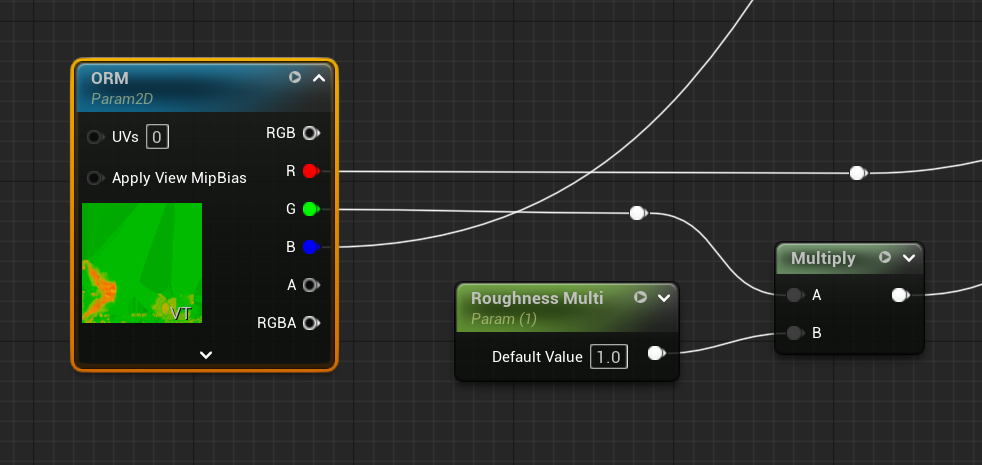
I’ve been using it for years, and while this works OK, there is a better way to do this by using a Lerp Node. The above approach isn’t accurate because it’s outcome will depend on the density of the roughness map itself: if our map were dark (shiny), multiplying it by 0.5 makes it even darker (shinier), but it is very difficult to make a shiny map look “matte” using only multiplication. In essence we don’t have a way to control the falloff, which can lead to sharper specular spots than the texture was intended for.
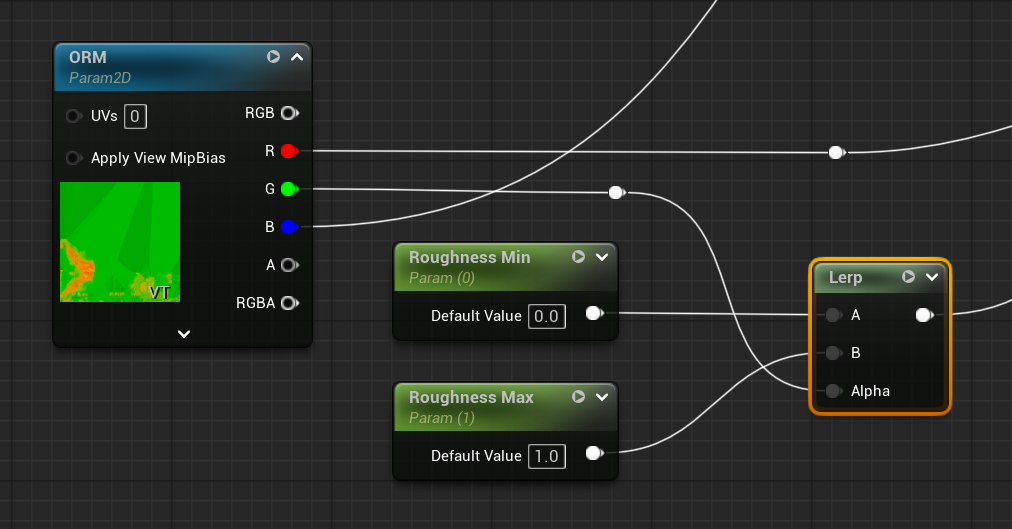
Now we can adjust two parameters, which will give us full control over the effect of our roughness map and leads to better looking results in Unreal Engine.