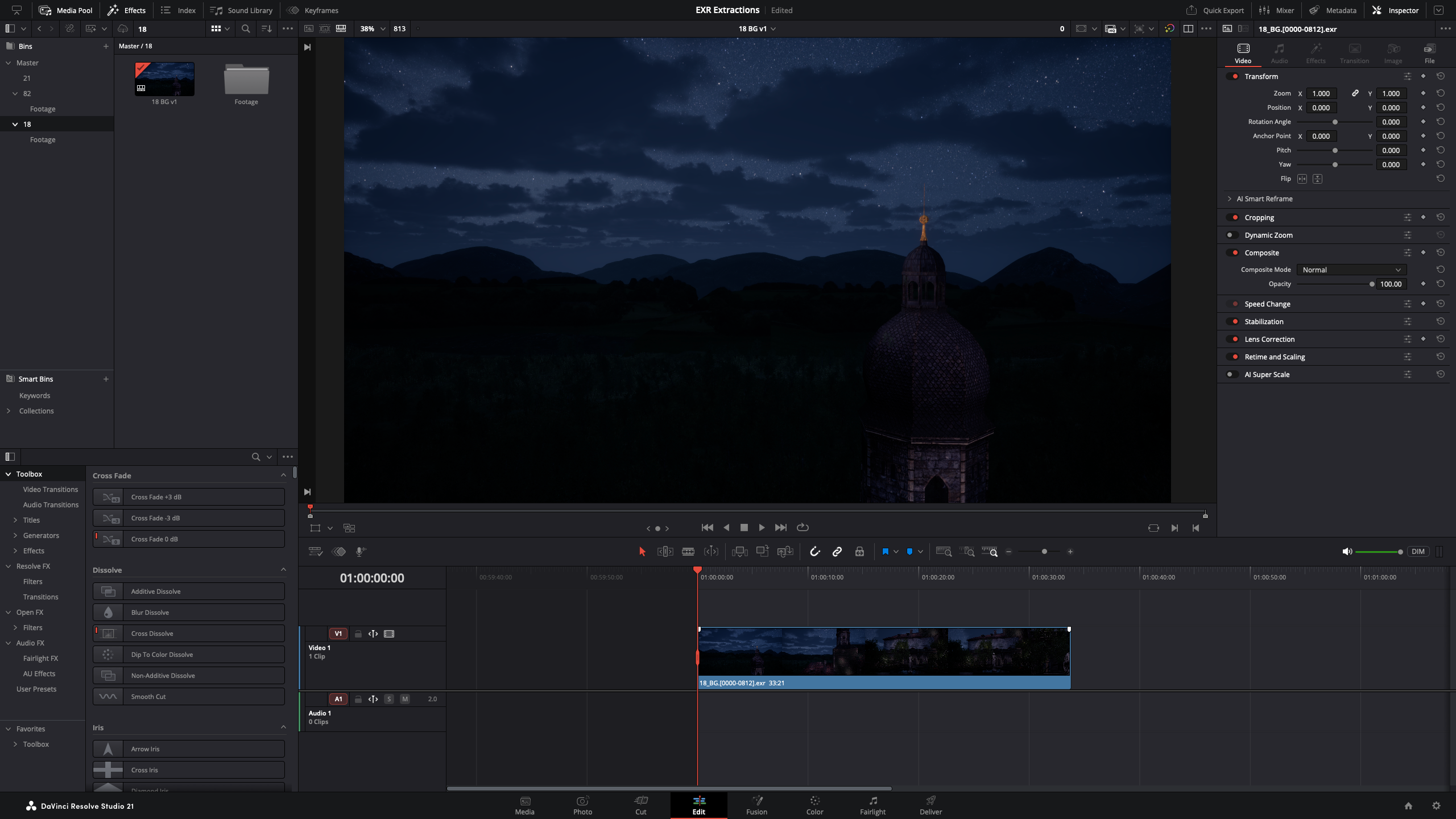
A while ago I explained how to set up ACES colour management in DaVinci Resolve so that EXR renders from Unreal Engine look correct in the viewport. That recipe works a treat on my Windows machine, but when I applied the exact same settings on my Mac Studio, the footage still looked way too dark. Same footage, same Colour Science (ACEScct), same Input and Output Transforms – yet shadow detail that was clearly visible on Windows had collapsed into a black mush on the Mac.
As it turns out, the project settings were never the problem. The culprit is a preference that only exists on macOS! For reference, this was with DaVinci Resolve Studio 21.1.
The Culprit
Head over to DaVinci Resolve – Preferences – System – General and untick Use Mac display color profiles for viewers. This option is enabled by default. Note that a restart of Resolve is required for the change to take effect – it won’t apply without one.
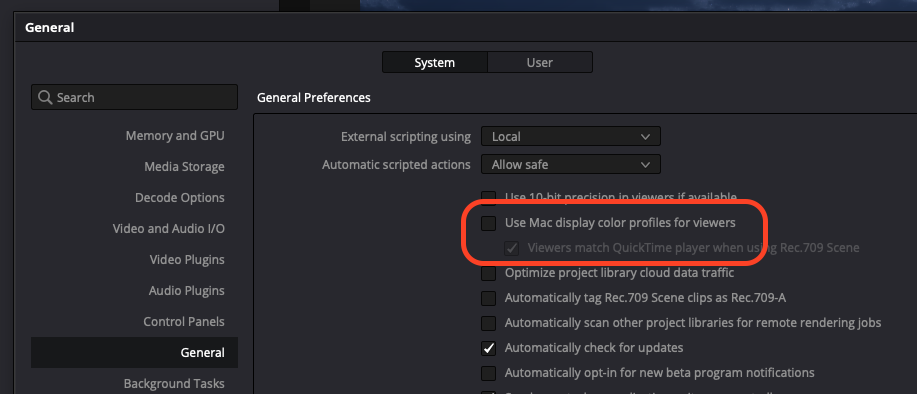
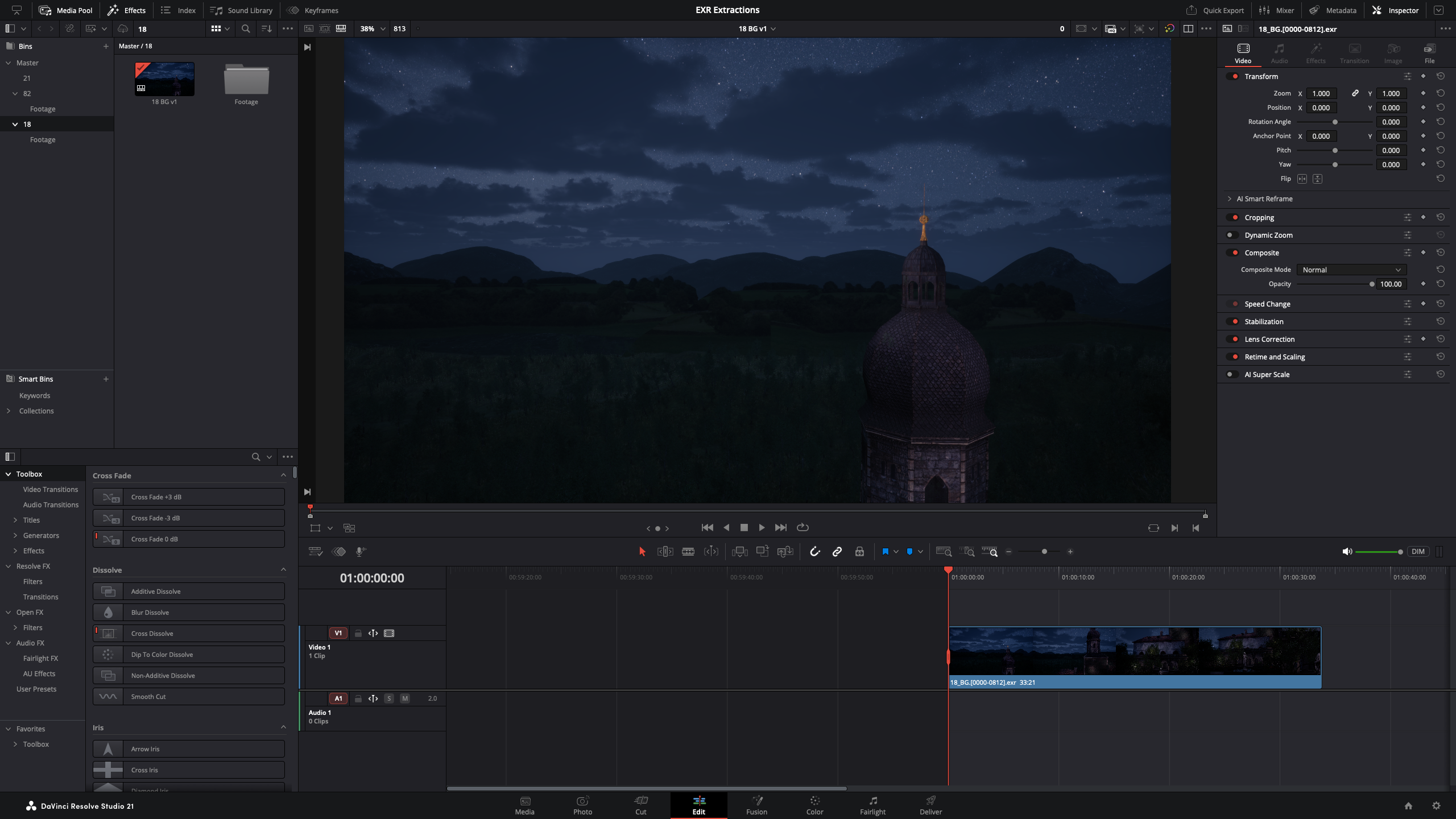
With the option enabled, Resolve hands its GUI viewers over to macOS and ColorSync, which displays them through your monitor’s colour profile. On my system this crushed the shadows of ACES-managed EXR footage significantly. With the option disabled, Resolve draws the viewer the same way it does on Windows, and both machines finally agree on what the footage looks like.
Here’s the same frame on the same Mac, before and after – the only difference is that single checkbox:
Your Renders were never affected
The good news: this is strictly a GUI viewer issue. Whatever you render out on the Deliver page is correct either way, even while the viewer looks wrong. So if you’ve been editing on a “dark” Mac project and delivered files from it, there’s nothing to re-render – they always looked fine everywhere else.
Bonus Gotcha: watch out for D60
While you’re in the Colour Management settings, note that the ACES Output Transform list contains two nearly identical entries: Rec.709 BT.1886 and Rec.709 BT.1886 (D60 simulation). It’s a long list and easy to grab the wrong one – I did. The D60 simulation variant shifts the white point warmer, so if your two machines look ever so slightly different in tint despite everything else matching, check that both projects use the plain Rec.709 BT.1886 transform.
That’s all I have for now.