Material Presets for complex objects like characters and clothing are called Material Plus files in iClone and Character Creator. They can describe several surfaces across several objects in your scene. Imagine the skin shader of a character and attached accessories at the same time, like glasses or hair.
They’re not exactly intuitive to do though, so let me show you how to create one.
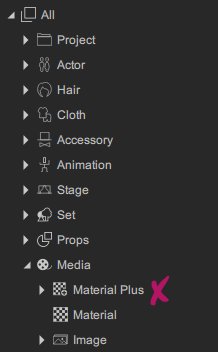
You’d imagine this is done via the Content Library but… you’re mistaken. There is a section for Material Plus files under Media, but it’s only for loading items in. Let’s use this to navigate to the desired location, then copy the path you’ll need to specify in a moment.
Now head to the Modify Tab, and with your object selected, select the material tab at the top (checkerboard icon). That’s where the option to save Material Presets are hiding.
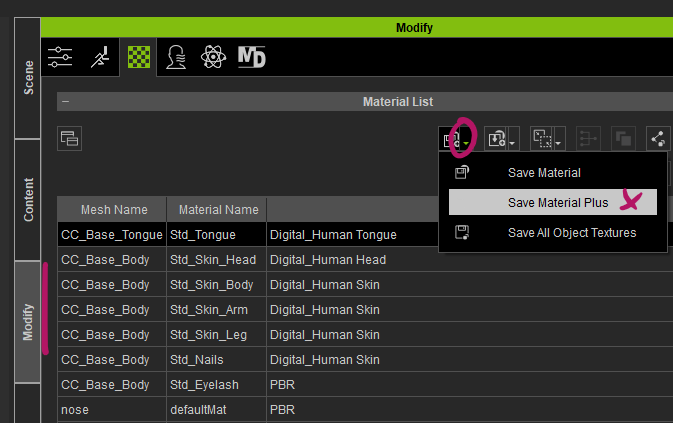
Click on the disk icon and the following dialogue comes up to save a Material Plus file, or use the drop-down menu to save a regular material or save out just the textures.
Once saved, you can use the Content Library to apply your Material Plus presets to objects in your scene.