We can use sound clips for effects and music for our iClone projects, although it’s far from intuitive how to do this. You’d think we can import a WAV file, it would appear on the timeline and we’d move it where it needs to go, but that’s of course not how it works. That would be too easy. Although there is such an option, I have yet to find out how to display audio files imported via File – Import.
A much more artist-friendly way to deal with music and sound files is to attach them directly to dummy objects, then show the Sound Option on such an object.
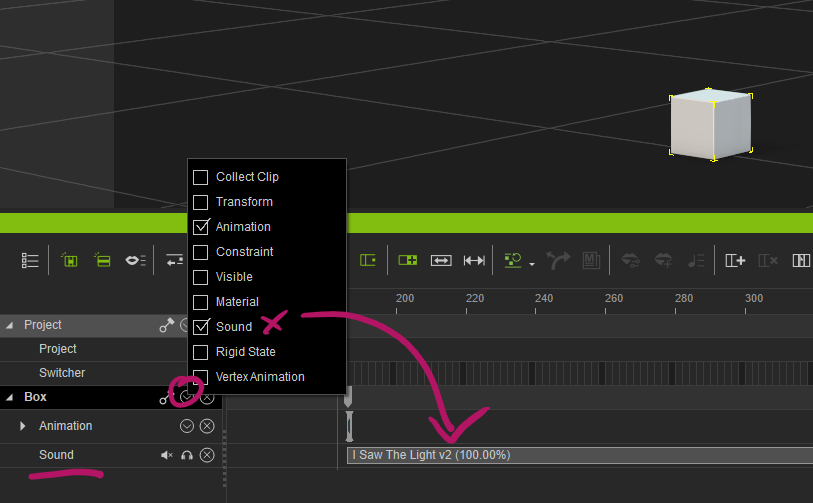
To import an audio file, simply drag it from the Windows Explorer directly into the viewport and drop it onto the object.
Now we can move the sound clip around in the timeline, trim/break/adjust as we see fit and move it where it needs to be. And to make our audio dummy objects invisible in the viewport, we can use the eyeball icon in the Scene Tab.