How to create a HDRI image in Photoshop

Photoshop CC 25yrsPhotoshop can combine multiple images into one and save them as HDRI, which allows us to use them in our 3D renders – either as 360 degree backgrounds or as light sources.

The way to do it has changed several times over the years – so here’s how this works in Photoshop CC 2015.

Read more

How to fix “The interface of shader xxx is invalid” in DAZ Studio

Sometimes, the 3Delight render engine in DAZ Studio can throw a hissy-fit and complain with the following error message: 3Delight message #45 (Severity 2): S2069: the interface of shader ‘/Users/versluis/Library/Application Support/DAZ 3D/Studio4/temp/shaders/brickyard/{407f8e5c-3a9b-4708-b5e5-799ff1fe7c1d}/shader_Surface.sdl’ is invalid 3Delight message #45 (Severity 2): S2051: cannot load shader ‘brickyard/{407f8e5c-3a9b-4708-b5e5-799ff1fe7c1d}/shader_Surface’, will use ‘defaultsurface’ This problem occurs frequently on complex shaders, such …

Read more

How to combine several saved selections in Photoshop

Sometimes it’s necessary to select more than one saved selection in Photoshop. And I was often wondering how to do it, thinking there had to be a way – until I discovered it by sheer accident today while pressing seemingly random buttons. Usually I call up a seed selection by heading over to Select – …

Read more

My new HP Z600 Workstation

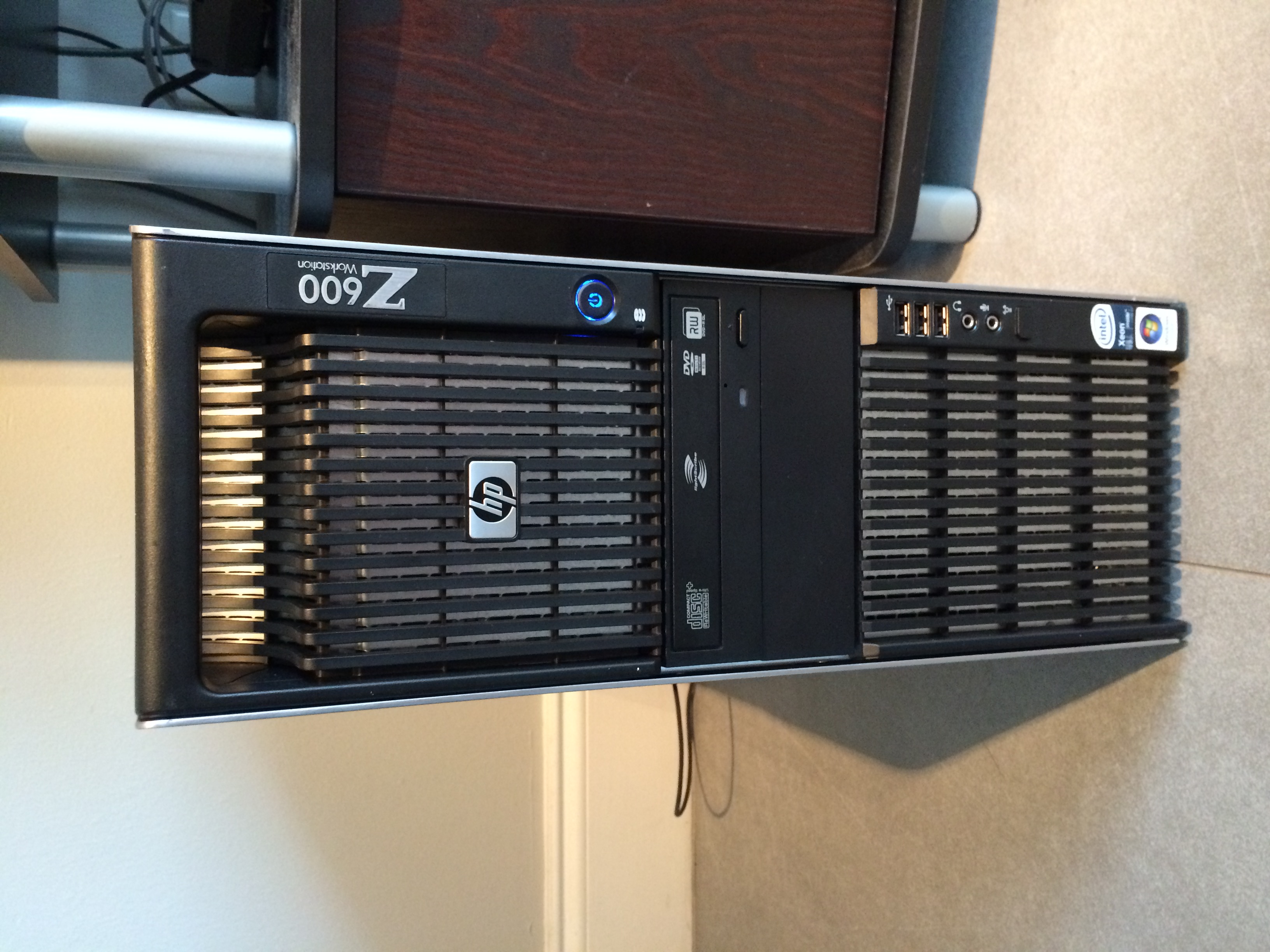
photo-sep-24-16-22-52I’m as excited as a kid in a candy store – because last Monday my new (old) HP Z600 Workstation has arrived! Built and sold to the government in the summer of 2009 for roughly $5000 (give or take a grand), it came to me via an eBay auction for $171 plus postage some seven years later.

Equipped with two Intel Xeon 5560 processors, no hard drive, 4GB of RAM and only a COA sticker for Windows Vista, I had a little bit of work to do to get it all going:

  • get a USB keyboard
  • get a power cord
  • get a graphics card
  • perhaps grab some more RAM
  • find a network cable
  • download a copy of Windows Vista (not easy to find in 2016)

I wanted to use this machine for 3D rendering in both Carrara and DAZ Studio, so for the latter I decided to buy an NVIDIA GTX 970 graphics card. I had to do a few internal modifications to the machine to make it work – but work it does, and it was a lot of fun to get this rig going.

Without further ado, here’s my Z600 story.

Read more
How to create a Smart Prop in Poser

Yesterday I’ve written about how to create a Smart Prop in DAZ Studio, and today we’ll learn how to do it in Poser.

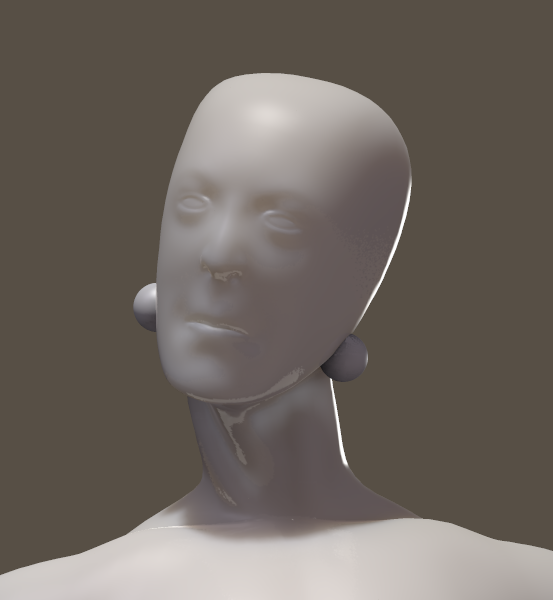
The principle is the same: model your 3D object as you wish, then import it – or load and create a primitive in Poser. I’ll do the latter and give Andy some exciting earrings (even though he doesn’t have ears).

screen-shot-2016-09-17-at-14-19-44

As you’ve guessed it, these are just two sphere primitives. Poser can’t create its own, but you can load a variety from the library under Props – Primitives. I’ve scaled them and moved them into place.

Read more

Filed under: Categories 3D Tagged as: Tags

How to create a Smart Prop in DAZ Studio

Smart Props are little items of geometry that can follow another object without the need to be completely rigged – unlike conforming clothes, which need to have the same skeleton and rigging as the parent figure. Smart Props are great for things like jewellery and other ancillary items. Let’s see how we can create one …

Read more

Where are the HDR images stored in KeyShot

KeyShot comes with several pre-installed environments, based on HDR images. We can use them in other applications too, if we know where to look for them. On a Mac, the KeyShot5 HDR images are stored here: /Library/Application Support/KeyShot5/Environments To navigate there, hit the Go option in your Finder, while holding down the OPTION / CMD key. …

Read more

How to create Poser Companion Files in DAZ Studio

screen-shot-2016-09-08-at-16-47-21When the Genesis figure was released in 2011, it was not natively compatible with Poser and only worked in DAZ Studio.
Shortly after its release though, the folks at DAZ came up with a way to make Genesis and related content available in Poser, called the DSON Importer – a script that reads the DAZ Studio files and translates them on-the-fly into something Poser can understand.

It’s not perfect, but it works with both Genesis 1 and Genesis 2 figures – as well as related content, provided that so called Poser Companion Files exist. The good news is that DAZ Studio can create those files with minimal effort – if you know how to do it.

Let me show you how in this article, which was inspired by a forum thread over at HiveWire.

Read more

How to suppress the “Incoming Network Connections” Dialogue for DAZ Apps on your Mac

Screen-Shot-2015-06-02-at-08.28.12

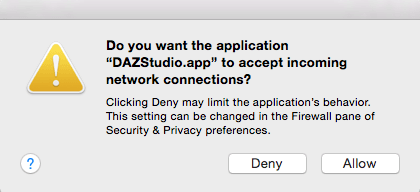
Mac Users will be familiar with the above dialogue. If you have DAZ Studio, Install Manager and/or Carrara installed, this thing shows up several times during your working day:

  • when you start your computer
  • when you launch Install Manager
  • when you launch DAZ Studio
  • when you launch Carrara

Should this drive you crazy, then read on – because there is indeed a solution to this! It has to do with a bit of command line hacking and location scouting. But if you’re clever enough to figure out such complex 3D applications, the following steps will seem like a walk in the park to you.

The following steps worked for me on OS X El Capitan 10.11.6, DAZ Studio 4.9 and Carrara 8.5 Pro.

Read more