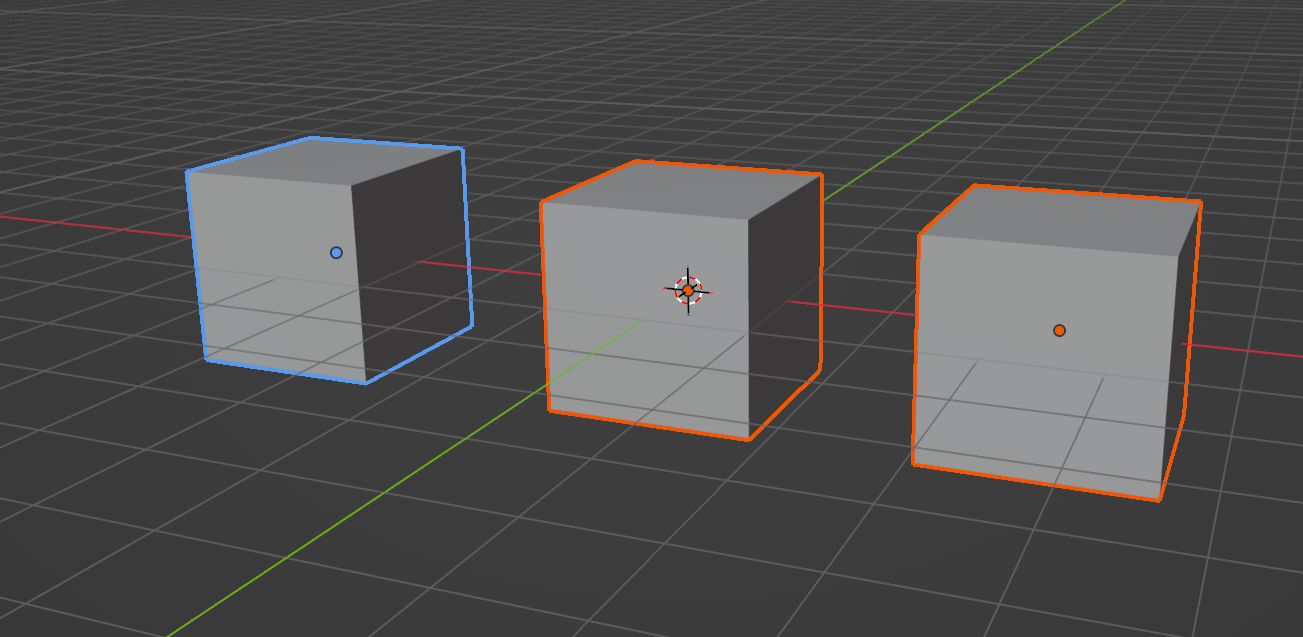
I remember changing my active highlight colour in Blender a while ago, and naturally can’t remember in which abyss of the menu madness this setting was buried. I did this because by default the highlighted and active object have a very similar shade of orange, making it nearly impossible for my dyslexic brain to see where I’m copying to or from. The easiest way was to change one of those colours to blue, as shown above.
Before I forget again, here’s where to find this setting:
- Edit – User Preferences
- Themes
- 3D Viewport
- Object Selected / Active Object
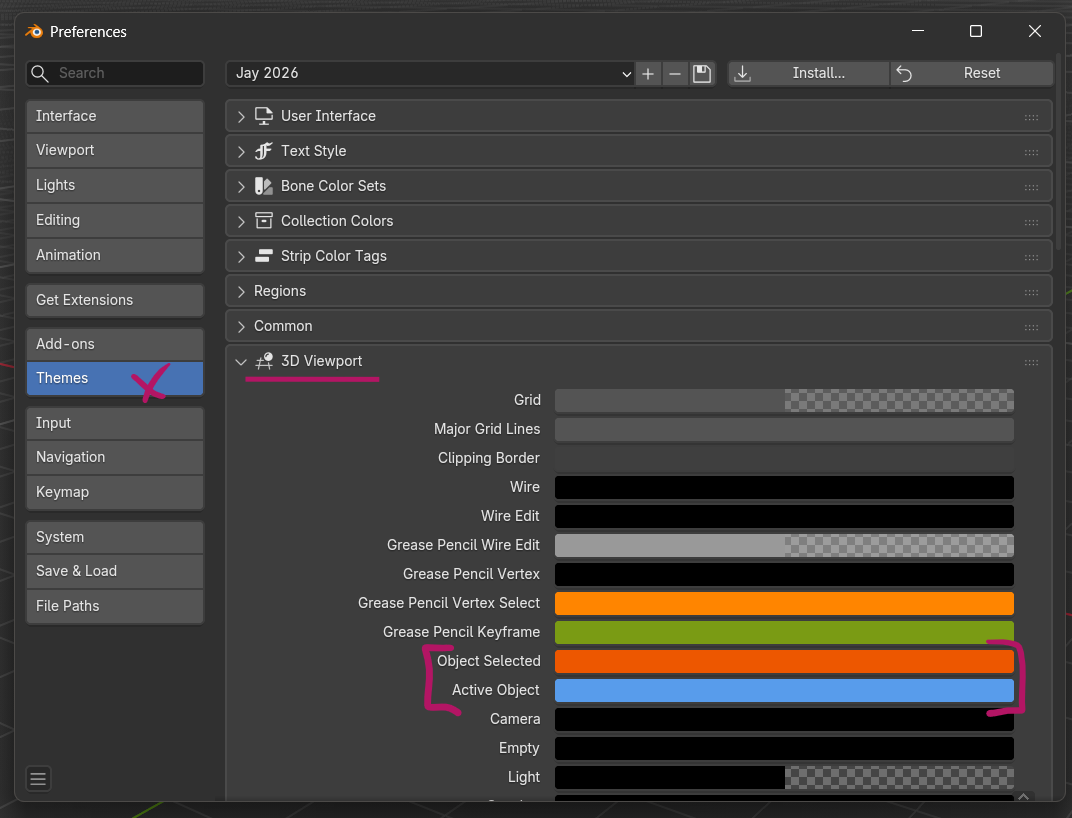
There you have it!
If you ever want to save this and perhaps share it with other people, click the plus icon at the top of the themes window, give it a name, and find this in your user preferences folder (on Windows that’s the hidden one in AppData/Roaming, under scripts/presets/interface_themes). It’s an XML file that can be installed at the top.