I sometimes need to check a bunch of render passes that need to be stacked on top of one another. However, when you select multiple clips and add them to the timeline, Premiere appends them one after the other. There’s no built-in shortcut to stack them (like hold a key while dragging multiple clips into the timeline). So what’s the easiest way to stack 30 clips without descending into drag-and-drop hell?
We can create a Multi Camera sequence and hijack that functionality for the same task. Here’s how to do it:
- select those clips in your bin
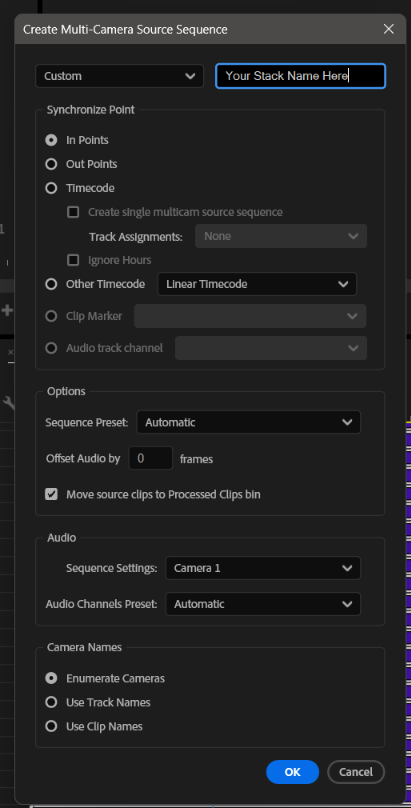
- right-click and choose “Create Multi Camera Source Sequence”
- give it a name and leave the defaults, or adjust to taste
Now you’ll see a slightly different icon to the regular Sequence. Right-click it and choose “Open in Timeline” (double-clicking won’t work for this). And there’s your stack on the timeline.
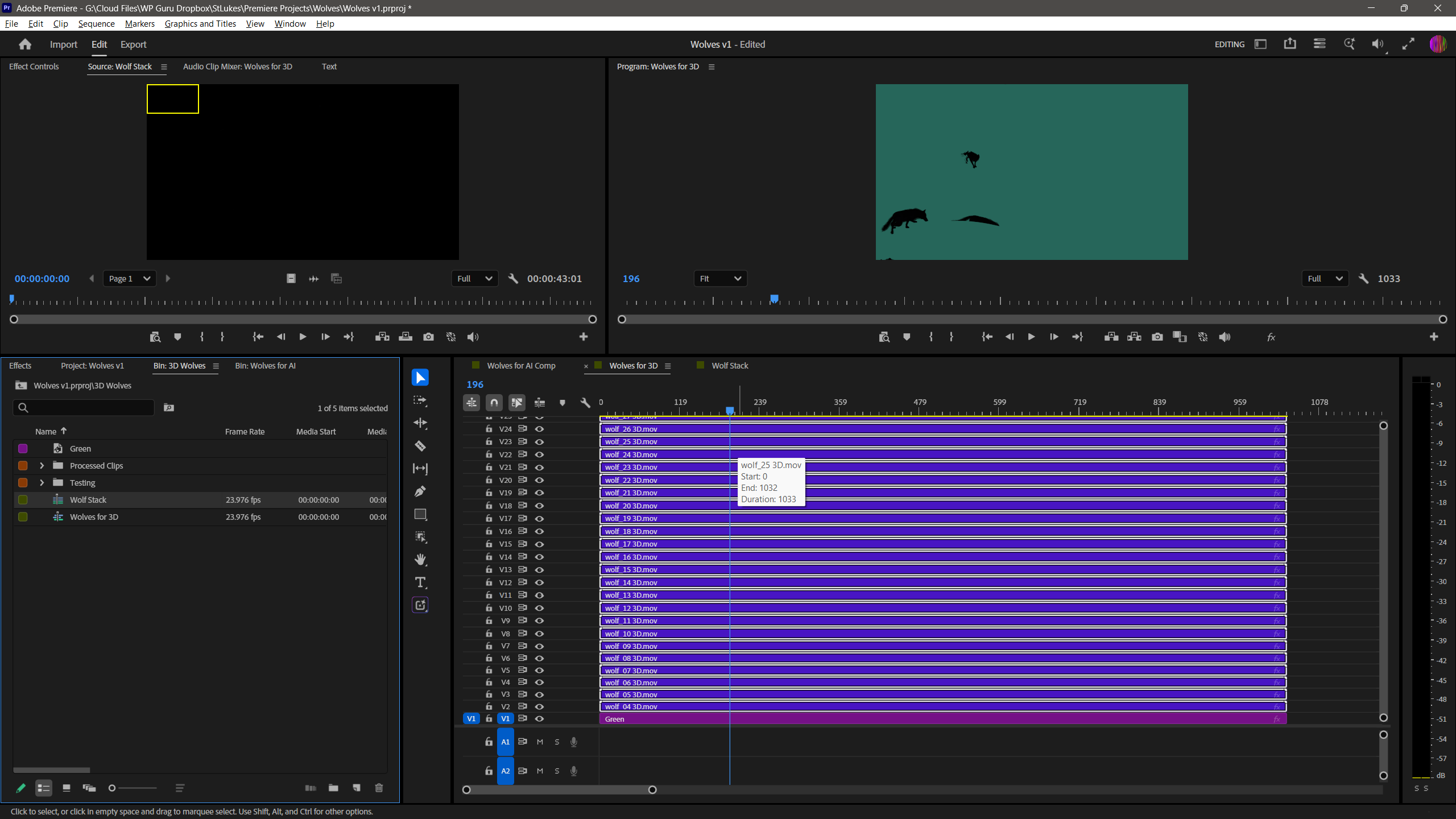
From here you can either copy/paste all tracks into the sequence you want, or you can keep using the multi-cam sequence directly.