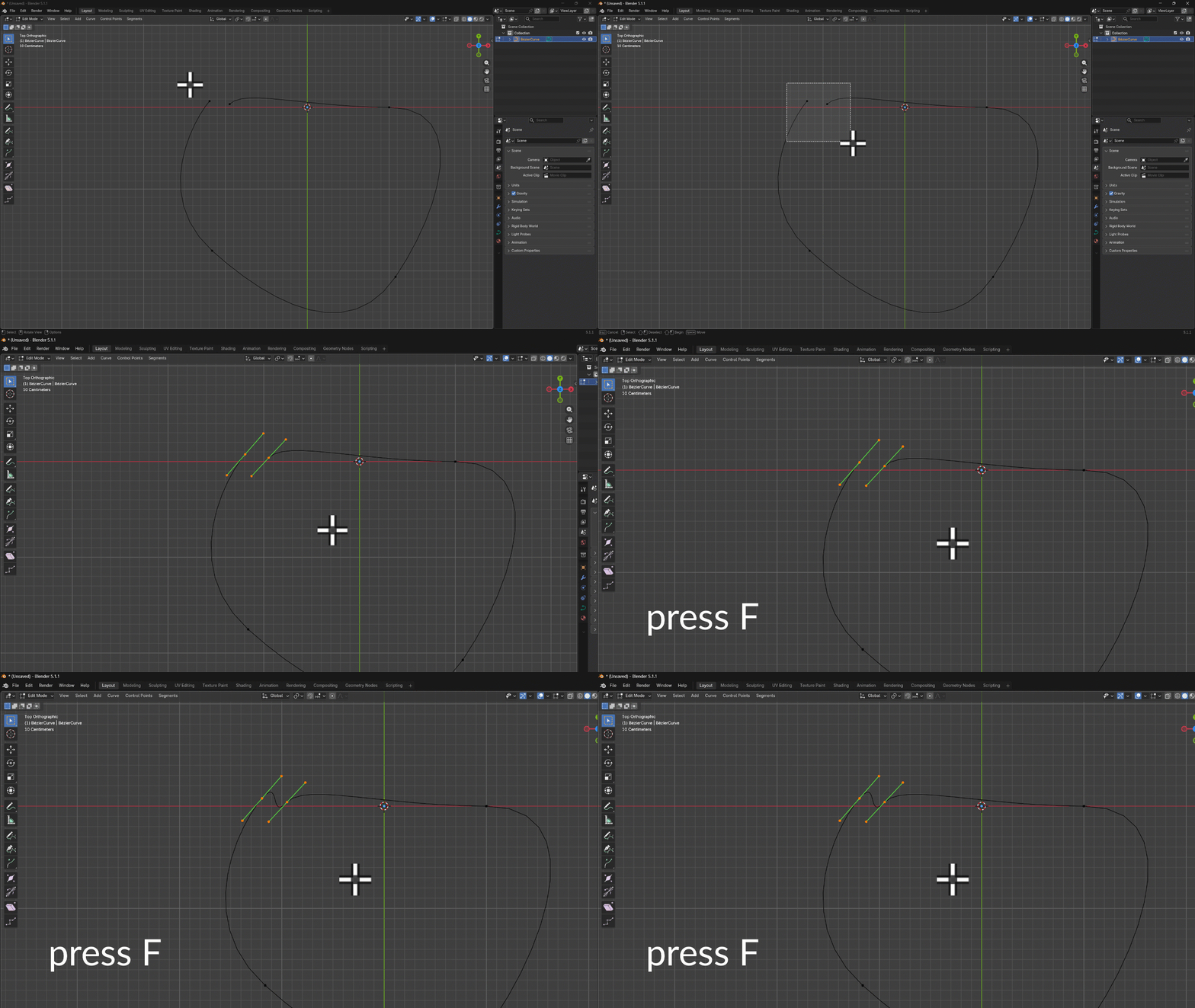
I don’t deal with paths all that much in Blender, so I tend to forget the simple things. Case in point: how do we turn two loose ends of a bezier path into a continuos curve? Merge doesn’t work by default as it does with vertex objects (although I hear there’s an add-on for that, but let’s not go there just yet).
The easiest thing to do is this:
- switch into Edit Mode
- select both points you want to connect
- press F to create a segment between points
If you don’t like the additional point this creates, select it and press X to delete it. The result is a closed path (and we didn’t even need another add-on).