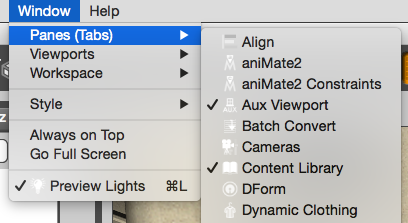
DAZ Studio 4.7 introduced an auxiliary viewport option with an Interactive Preview Render feature. This is a new panel that can be docked anywhere in your workspace (or free-floating if you prefer). You can find it under Window – Panes (Tabs) – Aux Viewport.
It looks and works much like the ordinary viewport in the middle, but at first glance it seems to have less options. Observe please: hover over the Aux Viewport to see the familiar camera selection and drawing style appear – they’re just hidden to clean up the interface when no mouse is in the vicinity. Very handy!
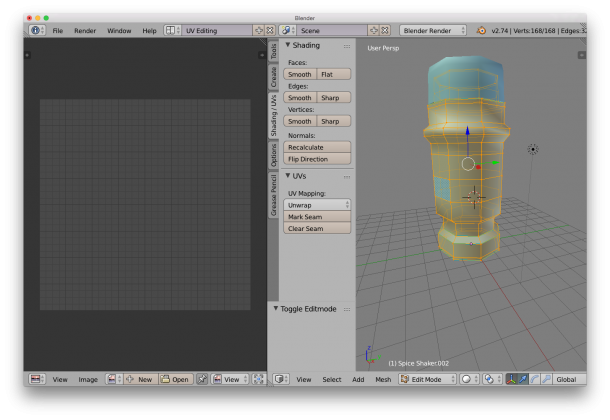 On the right hand side, make sure the Shading/UV tab is showing – it contains some vital tools for this endeavour. Choose edge selection and start marking seams for your unwrap. It’s easy to ALT-RIGHT-CLICK to select edge loops, or use the Select Menu for more funky options.