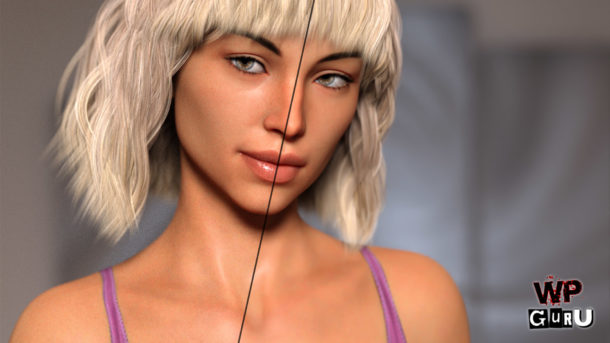
On today’s live stream, I’m giving you an overview on how to get started with the new Strand Based Hair feature in DAZ Studio 4.11. It’s only been released to the public yesterday, and we have not many details on how to create handsome looking hair with this tool, but I’ll let you in on …
On this episode of 3D Shenanigans, I’m creating a character animation in which our protagonist steps out of the dark and is gradually revealed with light. We’ll do the walk, light and camera animation in DAZ Studio, then add my Patreon Freebie fog assets to the scene in Photoshop. Join me on this creative journey …
In this live event I’ll show you how to build the above funny kitchen scene. It’s simple with several subtle nuances, such as lighting and expressions. I’ll explain how to add your characters, pose them, adjust the camera, and add appropriate (comical) expressions. Then we’ll adjust the lights of the set and add our own …
I’ve recently explained how to make use of the realistic sun disk in DAZ Studio. I’ve talked about how to make this thing visible and how to set it to mood/effect you want, and I’m pleased with the results. This workflow works great for still images, but for animations, it quickly becomes clear that the SS Time parameter under Render Settings – Environment cannot be keyframed.
Or can it? Looks like it can, thanks to a little helper tool called the Sun Dial. Let me show you how it works.
I’ve rendered this quick trailer for my 3D Shenanigans Live Stream, using Stonemason’s Urban Future 6 set the other day. I did this really quick, and there are some rough edges to this animation. It only took 8 hours to render the full sequence plus a bit of post production in Premiere.
I thought I’d share my multi-machine workflow and pipeline with you, indulging some tips of what I might do different next time.
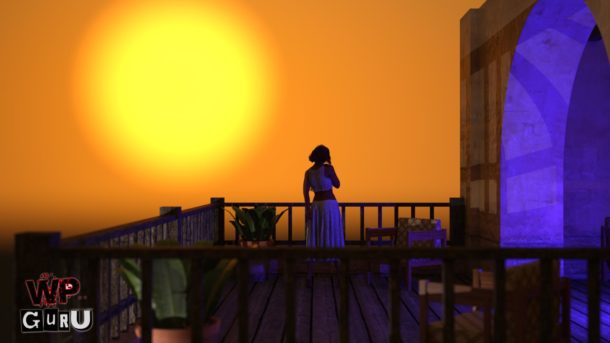
In this live event I’ll show you how to create a realistic sunset portrait in DAZ Studio. I’ll explain how to use the Sun and Sky option in the render settings to tweak the time of day, how to make the sun visible and how to move it into position. Finally we’ll add a character …
In this live event I’ll show you how to use Atmospheric Fog Planes in DAZ Studio. They can be used as a subtle effect to make your scenes more realistic. Fog Planes can fill the screen, or they can be used as prop splats to show steam rising in parts of your image. I’ll show …
I wanted to put some of my (old) computers to good use by helping them render animations. Everyone is stronger when we work together as a team, no matter if we’re built on carbon or silicone. Sadly though, Blender doesn’t start its GUI via RDP, which means it’s not so easy to speak to the application – unless you employ clunky workarounds.
That’s where the command line interface comes in handy. We can issue a text command to Blender, telling it which file we’d like to render, where to render to, and which frames of an animation to render.
Before I forget how this works, I thought I’d best write it down.
On this week’s live stream I’ll take my 3D Shenanigans Logo and shatter it into pieces, to build a creepy backwards animation using the Cell Fracture add-on in Blender 2.79. I’ll start by explaining how the tool works, then we’ll move on to building the logo from scratch, add materials, and then we’ll build something …
In this live event I’ll create animated volumetric fog with the highly underrated Carrara. I’ll show you around the app and explain how the programme works, introduce you to some of its features, and then I’ll animate good looking fog. Once exported as a transparent image sequence, I’ll try to animate it live over my …
In this live event I’ll tell you everything I know about Iray Canvases in DAZ Studio. It’s a huge topic, and admittedly I don’t know everything about this subject, but it will cover how to get started with multi pass rendering and the principles of creating separate images from your scene. About Depth Passes There’s …
In this live event I’ll show you how to create 3D Text Objects in Blender 2.8, then bring them in to DAZ Studio to animate and render. We’ll animate a single number first, then apply the same animation to the other numbers and add small variations using aniMate. Other than that, I’m happy to answer …
I’d love to see a decent Iray render speed comparison between the current NVIDIA graphics Cards, specifically for DAZ Studio performance. All we need is some data from a static test scene, render it on a variety of systems and compare the results. Well here’s such a scene! Please download it and render it on …
In this live event I’ll build a creepy “survival horror” type scene: an unsuspecting janitor is working the night shift, while a bunch of super intelligent bugs have escaped and try to take over the facility. I’ll start by modifying the stock corridor to make it longer, then I’ll setup a camera with an extreme …
In this live event I’ll explain how we can use an existing Iray skin shader and apply it to an older character like Staci. In my last stream I’ve shown you how to apply existing Iray materials from the library to various surfaces, and this time we’ll create a whole shader (almost) from scratch. I’ll …
In this live event I’ll show you how to utilise some of your older content in DAZ Studio and make it compatible with the NVIDIA Iray render engine. Specifically, I’ll take two 3D Universe characters from 2004, pose them in a brand new set by Danie and Marforno and create a riveting Sci-Fi scene. I’ll …
I have recently explained how we can create morphs for DAZ Studio assets with external applications, and how to apply them to characters and clothing using Morph Loader, or something like the GoZ Plugin. You can watch those videos here and here.
One of my viewers was asking – quite rightly – what to do with the applied morph, and how to save it. The answer to that question is a little in-depth, and depends on what you’d like to do with said morph. I thought I’d expand on the answer I gave Scott in one of the above videos with this article.
In this episode I’ll show you how we can use Reference Images in DAZ Studio. This is not a built-in option, but with the help of a Plane Primitive and a dedicated camera we can use references to help us build scenes, poses and shaders. We can create as many planes and cameras as we …
Thanks to deep learning, NVIDIA’s own DGX-1 AI Super Computer and a lot of trial and error, this machine developed an algorithm that can predict how accurate the final result will look like when only a limited amount of ray bounces are available.
In a nutshell, their Artificial Neural Network went ahead and compared a partially finished render with a finished one, and each time it made a prediction that was not looking handsome, it learnt from it. Eventually they came up with what’s currently integrated in the latest release of Iray, which has made it into DAZ Studio 4.11, and that in turn is available for us to beta test right now.
I’ve run some tests with this new toy, and I’m excited to share those with you today.
In this live event I’ll build a scene with the Hotel Indoor Pool product from DAZ and Imaginary 3D (available for free this week for Platinum Club Members). I’ll explain how to walk through the scene to explore the the whole set, pick a good camera angle, convert existing objects into light sources and add …
In this episode I’ll show you how to create a morph for an item in DAZ Studio using ZBrush, without using the GoZ bridge. It works by exporting your object in OBJ format from DAZ Studio, importing and changing its shape in ZBrush (or any other 3D modelling app for that amtter), then re-importing the …
In this episode I’ll tell you many interesting things about how to use cameras in DAZ Studio. It’s a rather complex topic, which is why this episode is a little longer than usual. We’ll create a simple scene together from the latest Platinum Club Freebie product, frame up a shot, and create a couple of …
In this first Live Event I have planned for y’all I’m going to explain how to create an easy turntable animation in DAZ Studio. We’ll dress up a character, pose him (or her), set some lights and create a 360 degree slow spinning animation of it. This technique is a nice way to show off …
In this episode I’ll show you how to create morphs for DAZ Studio using ZBrush, thanks to a free plugin called GoZ for DAZ Studio (it’s like a ZBrush Bridge). I’ll also explain the prep-work necessary for GoZ to work properly and how to install it. For Allan. https://www.versluis.com/wp-content/uploads/2019/01/1901-DAZ-to-ZBrush.mp3 Podcast: Download (Duration: 12:48 — 11.7MB)
In this episode I’ll explain the differences between the Content Library Tab and the Smart Content Tab. I’ll also show how to bring content into your scenes, and touch on the different types of content (for example, a shirt fits on a figure, but a material preset fits on a specific shirt). https://www.versluis.com/wp-content/uploads/2019/01/1906-DS-112-Content.mp3 Podcast: Download …
I’ve recently found out that there IS indeed a way to show a list of all DAZ Studio Keyboard Shortcuts. Sadly this functionality is not built in to DAZ Studio (as of 4.11 as far as I know), but we can convince the app to use the following script to show us a handy list. …
From time to time I get asked what hardware and GPU I’m using for my 3D adventures, including video games. Rather than typing it out every time, I thought I’d make a handy post that I can refer interested parties to, and update as my configuration changes.
This is that post.
It may contain more information than necessary, but I thought I’d add it all here, including a bit of history on how this setup came to be and what it cost. I keep this page updated as my configuration and workflow changes.
TL;DR
These are the main systems that I use for work and play. They run the Adobe Creative Cloud, games, 3D apps. Most systems are CAT-5 wired with a 1000Mbps connection.
Main Workstation / Presentation PC
HP Z840 Workstation
2x Xeon E5-2670 CPUs (48 threads)
48GB of DDR-4 RAM
2x RTX 2080 GPUs
Streaming PC
HP Z600 Workstation (Rev B)
2x Xeon x5675 CPUs (24 threads)
24GB of DDR-3 RAM
RTX 3060 GPU
Elgato HD60 Pro HDMI capture card
Render Node 1
HP Z800 Workstation
2x Xeon x5675 CPUs at 3.07 GHz (24 threads)
48GB of DDR-3 RAM
2x GTX 970 GPUs
Render Node 2
HP Z600 Workstation (Rev A)
2x Xeon x5560 – 2.80 GHz CPUs (16 threads)
20 GB of DDR3 RAM
GTX 970 GPU
Email / Coding / Chat PC
Apple MacMini 2012 Server Edition
Intel Core i7CPU at 2.3 GHz
16GB of DDR-3 RAM
Intel HD 4000 GPU with 1.5GB of RAM
The Longer Story
Most visitors are probably content with the info above. However, if you’re interested in how all this equipment came to be, and how I’m using it in my home/office, read on below. I’ll tell you how I acquired most of the parts and how I’ve built them from older technology that still packs quite a punch.
No matter how hard I try, I just never remember where the Symmetry option is hiding in ZBrush. At least I remember this website, so when I search here next time, this post should come up. Which tells us that Symmetry in ZBrush is in the Transform Menu. Here’s a link to the official documentation, …
In this episode I’ll show you how to create a Dolly Zoom animation in DAZ Studio. That’s a camera trick made famous with Alfred Hitchcock’s movie VERTIGO, hence it’s often called a Vertigo Shot or Jaws Shot (because Steven Spielberg has used it for great effect in Jaws). In Part 1 I’ve explained how the …
In this episode I’ll show you how to create a Dolly Zoom animation in DAZ Studio. That’s a camera trick made famous with Alfred Hitchcock’s movie VERTIGO, hence it’s often called a Vertigo Shot or Jaws Shot (because Steven Spielberg has used it for great effect in Jaws). In this part I’ll explain how the …