 I have several Amazon accounts: one in the US, one in the UK, and one ein Germany. Every now and again I de-register one of my Kindles from one account and register it with another one. Depends on what content I’d like to read and on which account it’s available.
The other day I switched my Kindle Fire from my German Amazon account back to my US account, my main account, containing all my my english content. To my surprise, the device registered fine, identified itself as “Jay’s Kindle”, but none of my content was showing up. Likewise, the device was not showing as registered on my web interface.
What was going on? Where was all my content? This had worked not too long ago!
I tried installing the Kindle iOS app on my iPhone and registered it too – only to find it behaved exactly the same way: no content, and the device was not showing itself on my Amazon account.
After getting in touch with Customer Service, I can now tell you what happened – and a neat trick of avoiding it, should it happen again. Interested? Read on!
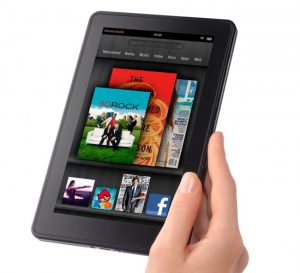 Back in 2011 I bought a first generation Kindle Fire in the US. It hadn’t been released anywhere else, and this device started the whole Kindle Tablet business for Amazon.
 I was playing XIII again the other day. The US GameCube version this time. I remember enjoying XIII on the original Xbox back in the day, as well as on PC.
 Yesterday, while I was receiving my 13th chemotherapy shot at the hospital infusion suite, I’ve spontaneously joined




 Manga Studio (or Clip Studio Paint as it’s now called) has a very versatile brush engine. We can customise our own brushes too, so that we can “paint” with our own images – just like the ones above, all of which come with the app.